CWCloud AI agent as a Restful adapter for CWAI API
The cwc is OpenSource but for the on premises instances of CWCloud, you need to have the Enterprise Edition (EE) to use the AI agent features. Please contact us for more information.
In our previous blogpost, we introduced the CWCloud MCP server and agent. We explained how we implemented the MCP server and how to use it with an AI agent in cli mode.
In this blogpost, we will see how to use cwc as an external web agent compliant with CWAI API.
First, here's how the cwc CLI can be started as a web agent:
$ cwc ai web-agent
We can also specify the port and listen address:
$ cwc ai web-agent -a 0.0.0.0 -p 8081 -s http://localhost:8080/mcp
And then we can send http POST query like this to the web agent:
$ curl -X POST http://localhost:8081 -H "Content-Type: application/json" -d '{ "settings": { "max_tokens": 500 }, "message": "Hello"}'
The web agent will answer like this (following the external adapter contract):
{
  "status": "ok",
  "message": "Hello! How can I assist you today?",
  "usage": {
    "prompt_tokens": 8,
    "completion_tokens": 10,
    "total_tokens": 18
  }
}
In order to host the cli as MCP server and web agent at the same time, here's an example of docker compose file:
services:
  cwc_mcp:
    image: "rg.fr-par.scw.cloud/cwcloud-ce-u7u1q0/cwc:1.19.14"
    restart: always
    container_name: cwc_mcp
    env_file:
      - .env.cwc
    volumes:
      - "/etc/ssl/certs/ca-bundle.crt:/etc/ssl/certs/ca-bundle.crt:ro"
      - "/etc/ssl/certs/ca-bundle.trust.crt:/etc/ssl/certs/ca-bundle.trust.crt:ro"
    command: ["ai", "mcp", "-l", "0.0.0.0", "-p", "8080"]
    networks:
      - cwc_network
  cwc_agent:
    image: "rg.fr-par.scw.cloud/cwcloud-ce-u7u1q0/cwc:1.19.14"
    restart: always
    container_name: cwc_agent
    env_file:
      - .env.cwc
    volumes:
      - "/etc/ssl/certs/ca-bundle.crt:/etc/ssl/certs/ca-bundle.crt:ro"
      - "/etc/ssl/certs/ca-bundle.trust.crt:/etc/ssl/certs/ca-bundle.trust.crt:ro"
    command: ["ai", "web-agent", "-a", "0.0.0.0", "-p", "8081", "-s", "http://cwc_mcp:8080"]
    ports:
        - "8081:8081"
    networks:
      - cwc_network

networks:
  cwc_network:
    driver: bridge
In the .env.cwc you can set all the required environment variables for the cwc CLI, such as the API key and the default model to use. You can refer to this documentation to get more details.
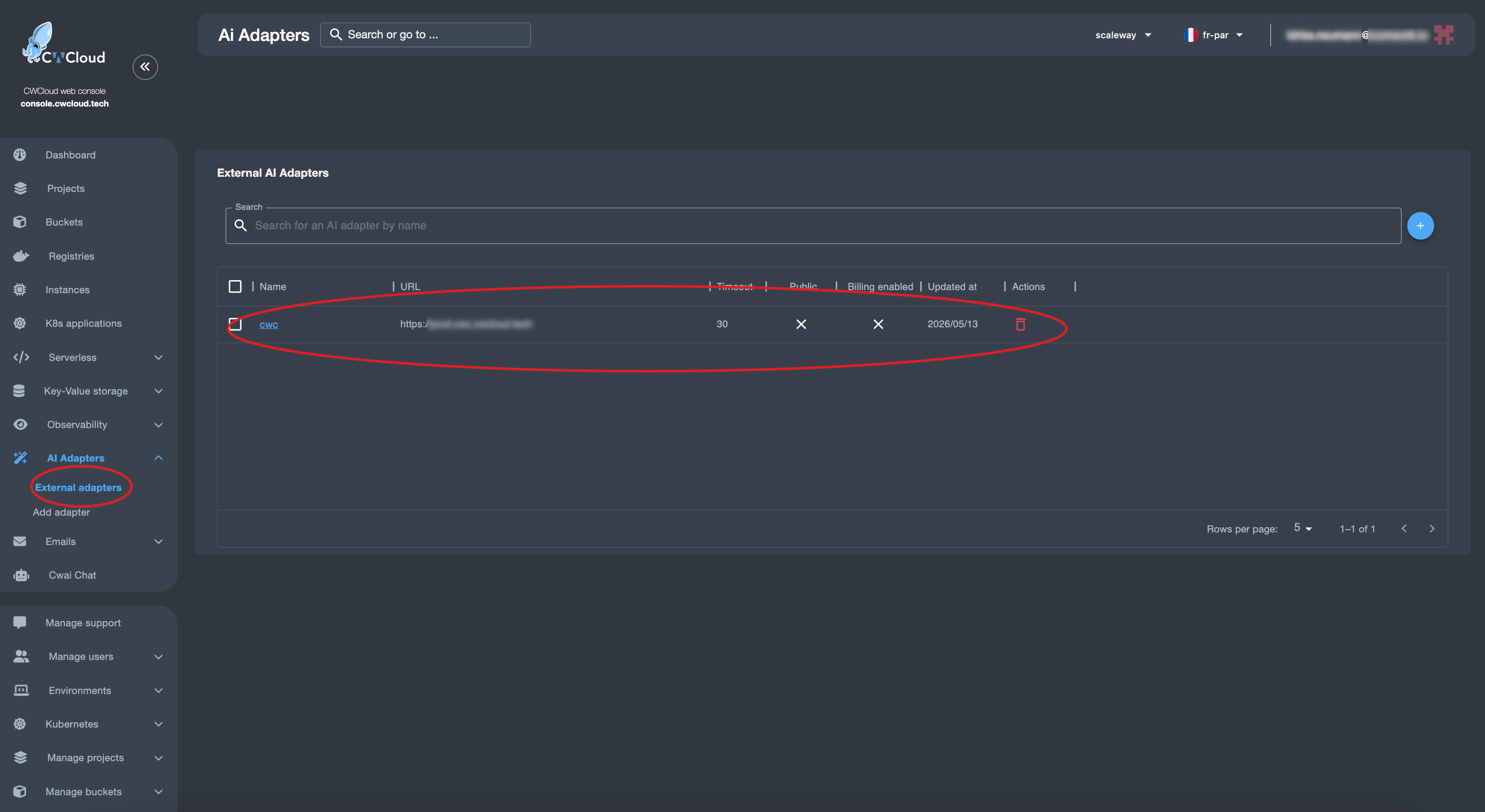
Then we can add the web agent as an external adapter:
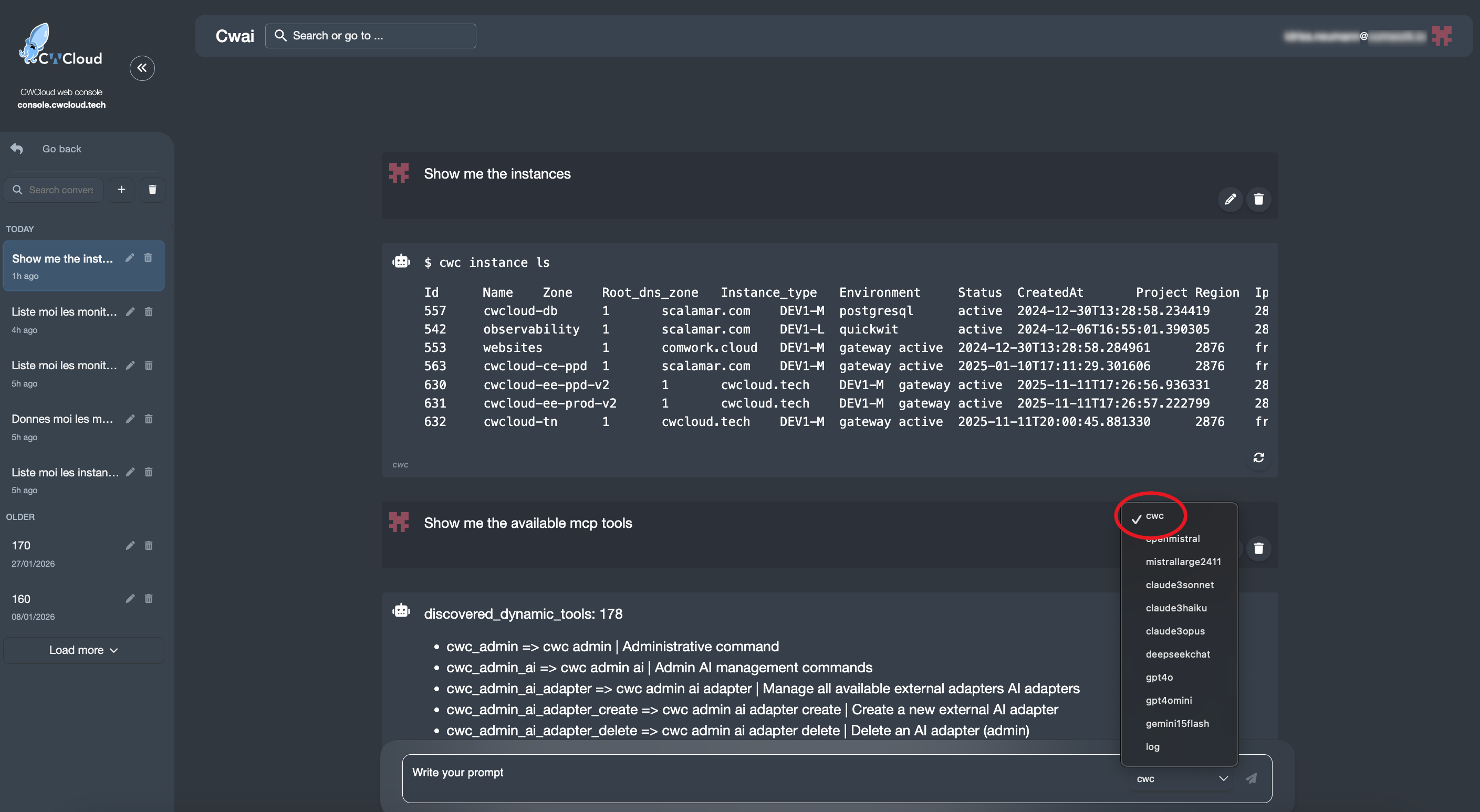
And then we can use it with the CWAI's chat:
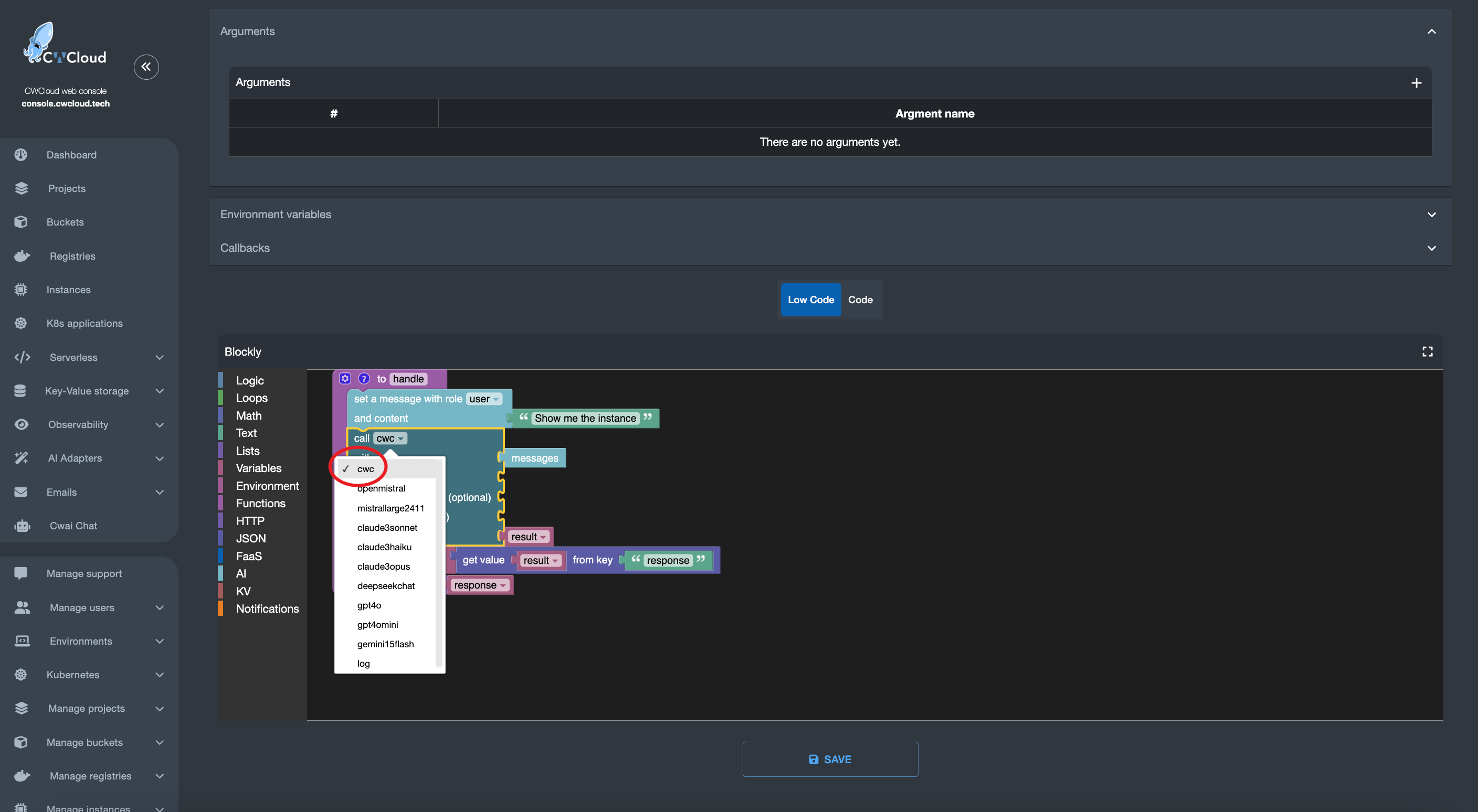
And of course you'll also be able to use it in the FaaS engine like this:
And that's how you can use cwc web agent as an external adapter for CWAI!