CWClock
We provide a simple and easy-to-use time tracking alternative to Clockify written in Go and react.
It's OpenSource MIT licensed and you can host it yourself, the repo is on our gitlab (or here on github).
And there's an instance available here.
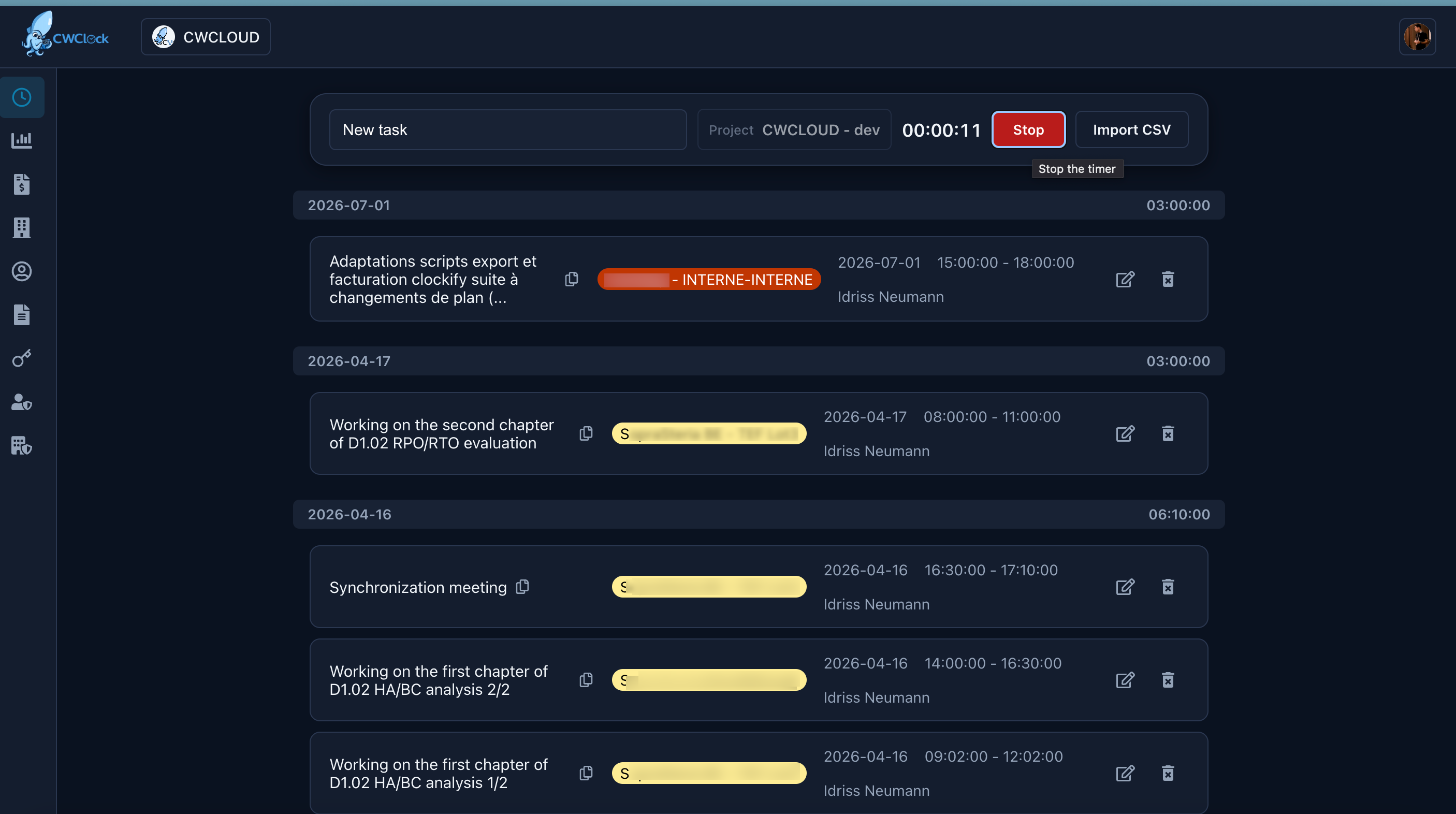
Features summary
Here's the main features of CWClock:
- Track time spent on tasks
- Connect to your Google or Outlook calendar
- Manage organizations, clients and project
- Export in PDF or CSV with format compliant with Clockify format
- Export API compliant with Clockify
- Reimport Clockify CSV export files
- Print invoices with daily rates and VAT
- Send the invoices by email
- Synchronize you invoices with Google drive or S3/object storage or git
- Automated export job that can send the exports and/or invoices by email or Google drive, S3/object storage or git repositories
- I18N (English and French for now)
- Light/Dark mode
- OpenTelemetry & OpenMetrics (Prometheus) observability
- OIDC with Google OIDC, Github and Keycloak
- MFA with TOTP or yubikey
- Contact form
- Cli suitable for humain or AI agents with MCP server and web agent modes
- Mobile application for Android
Technologies
- Go and PostgreSQL for the API
- React for the GUI
- Flyway for the migrations
External connections
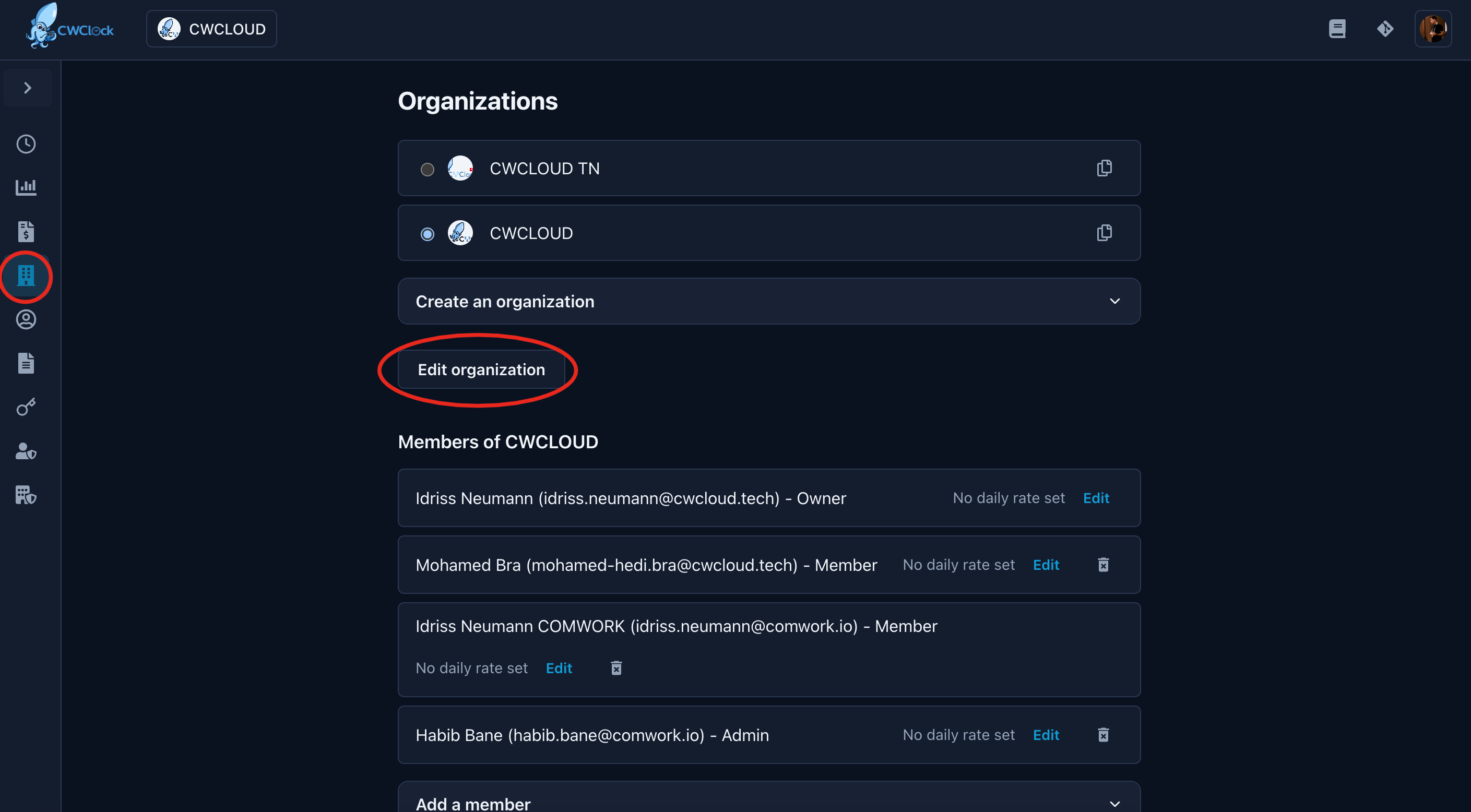
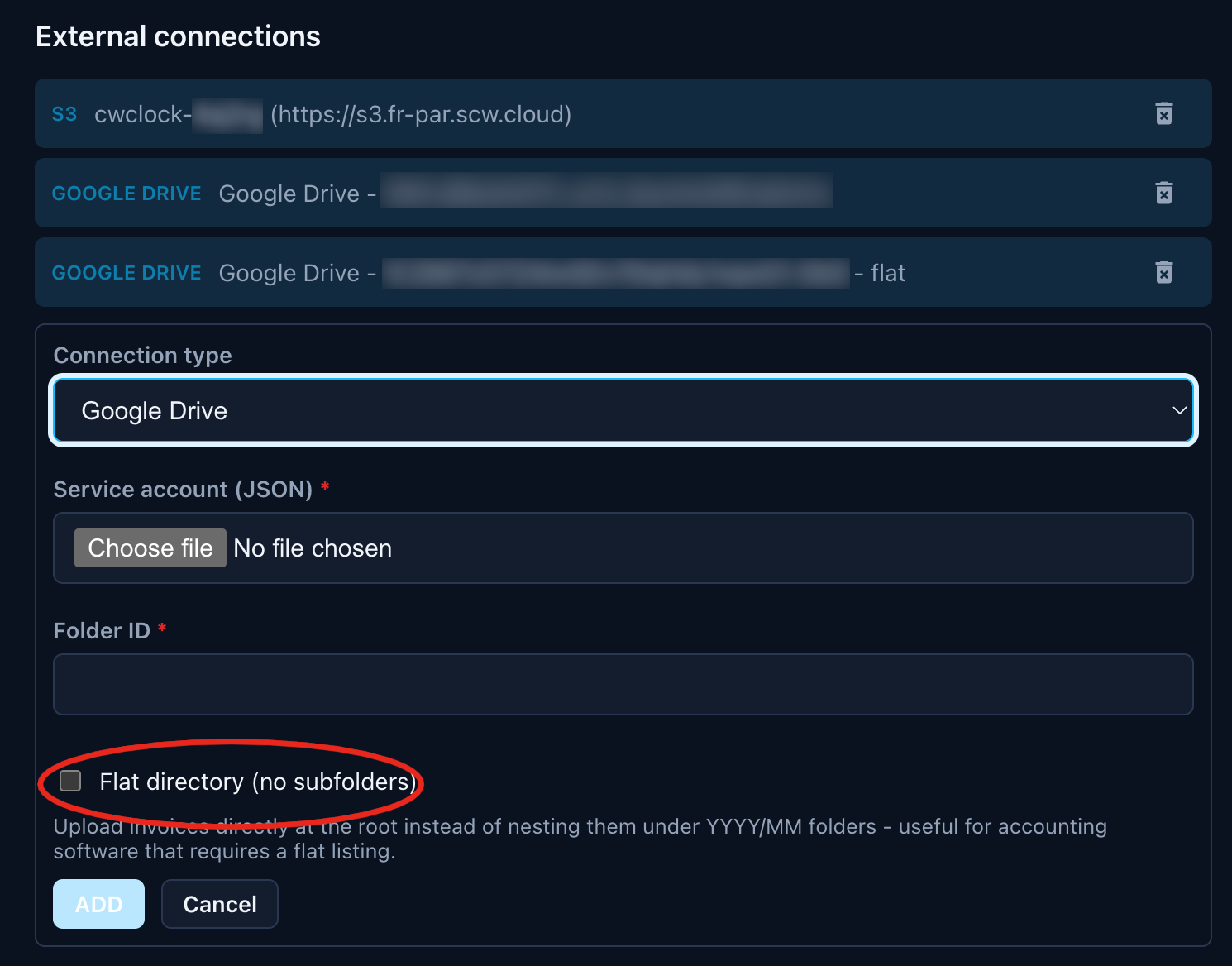
You can add external connections like S3/object storage or Google Drive or git connections to upload your invoices:
You can specify if you want the invoices to be uploaded directly at the root folder (for this choose "flat directory" option) or in MM.{Month name} subfolders.
Google Drive
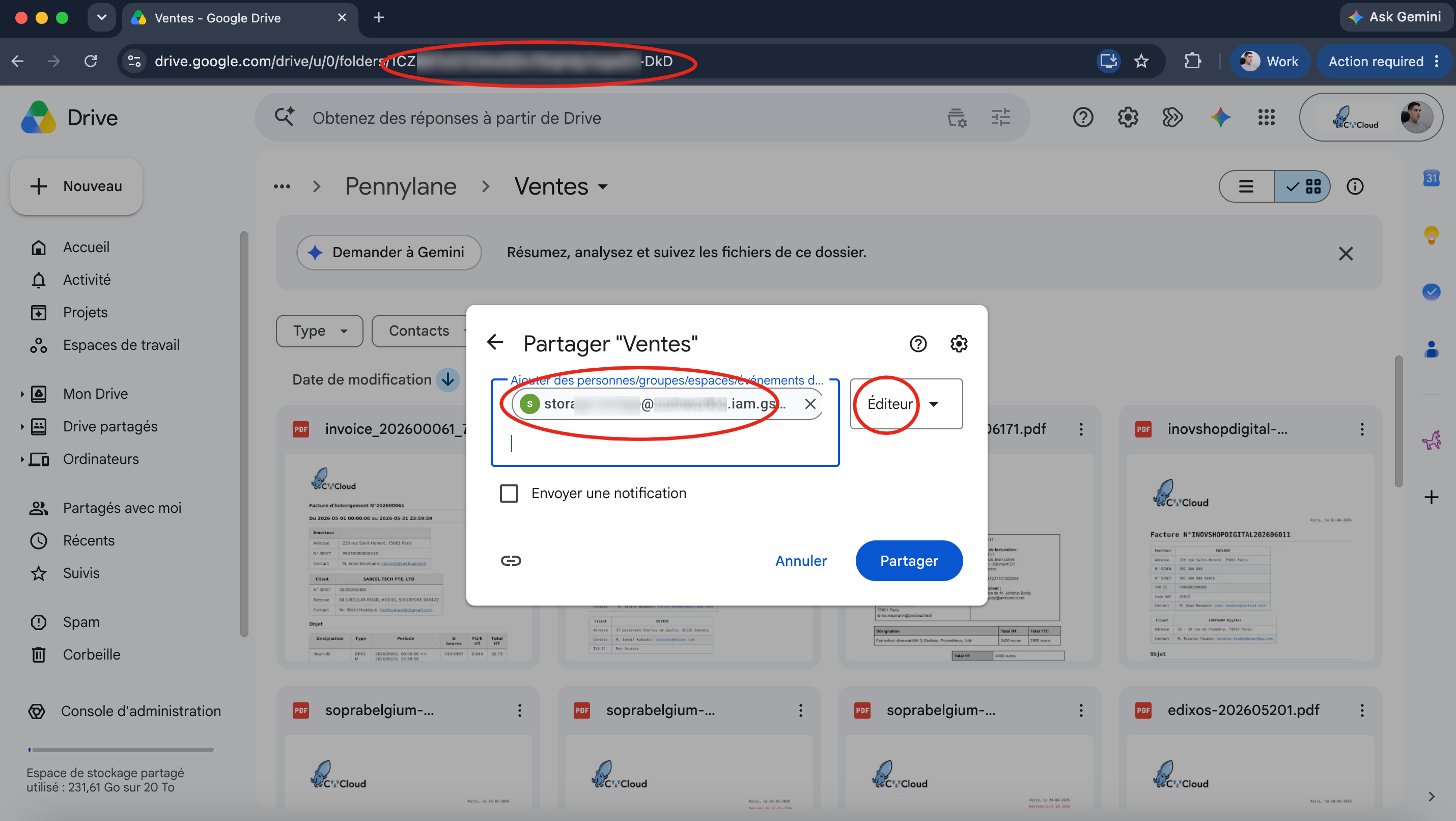
For Google Drive, you'll need a project with a service account.
Then you'll be able to share a folder with the service account's name and pick the id directly in the URL like this:
Reupload invoices
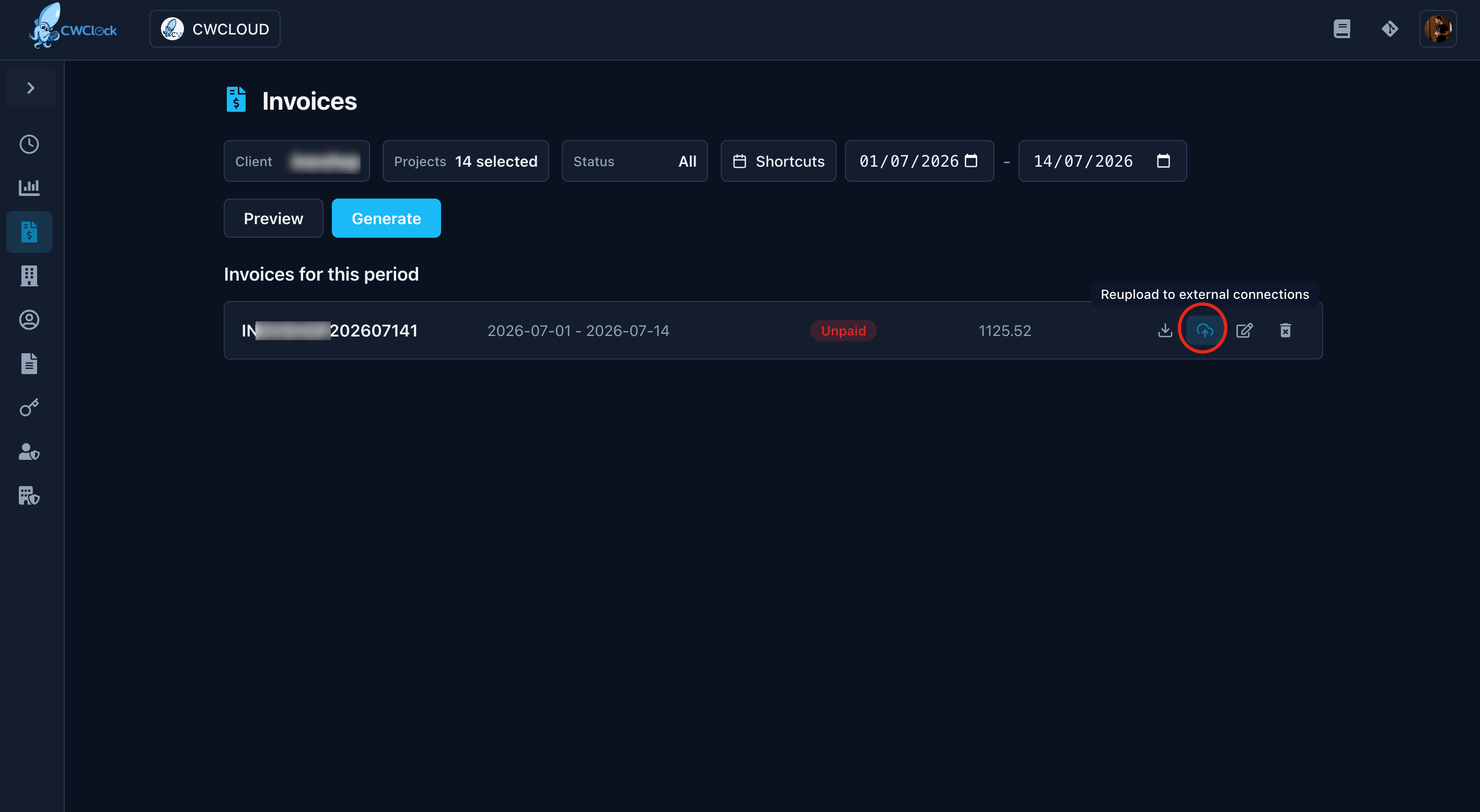
You can reupload invoices which has been generated before the pairing of your external connections, clicking on this button:
Calendar
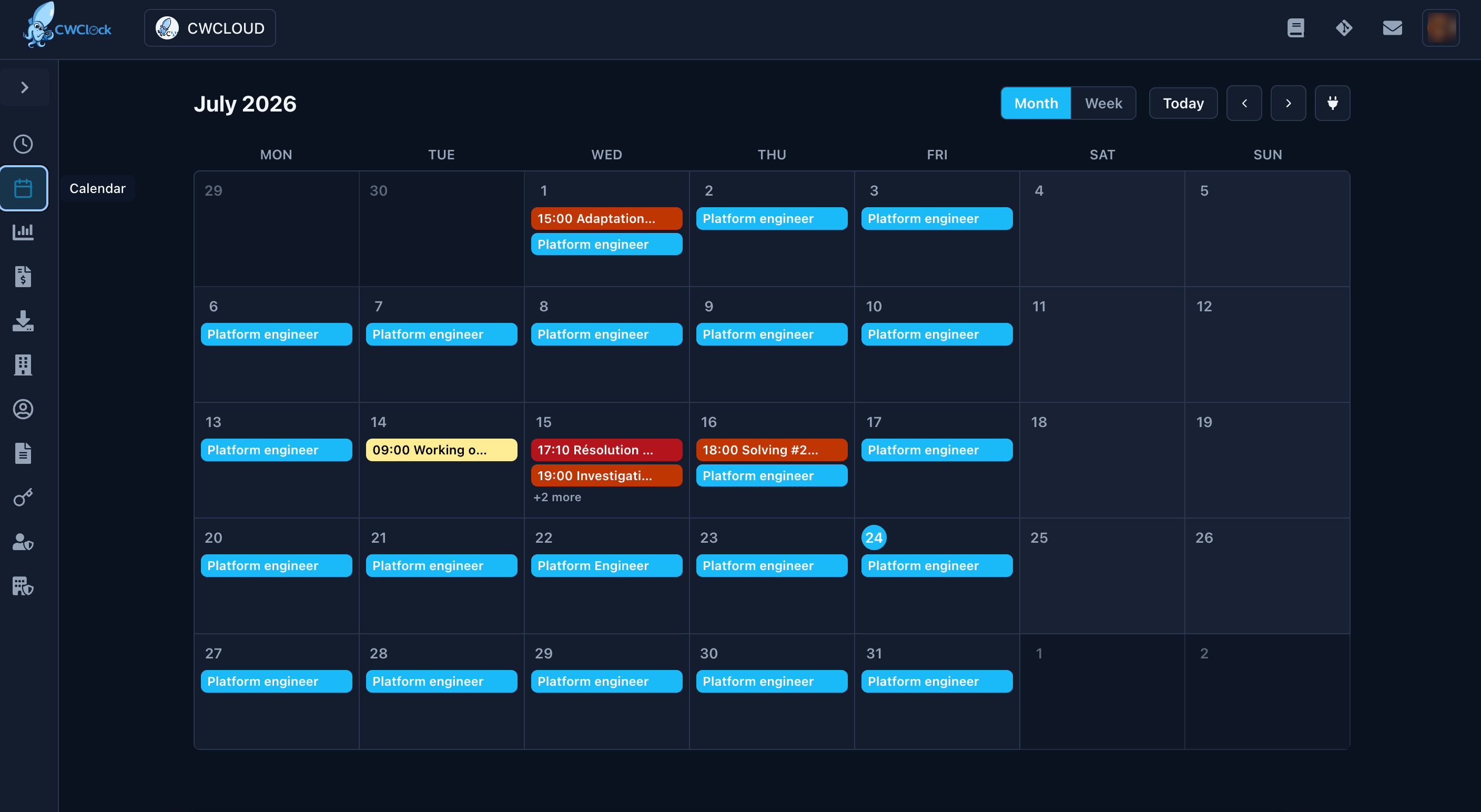
You can use a calendar view to vizualize or edit your time records:
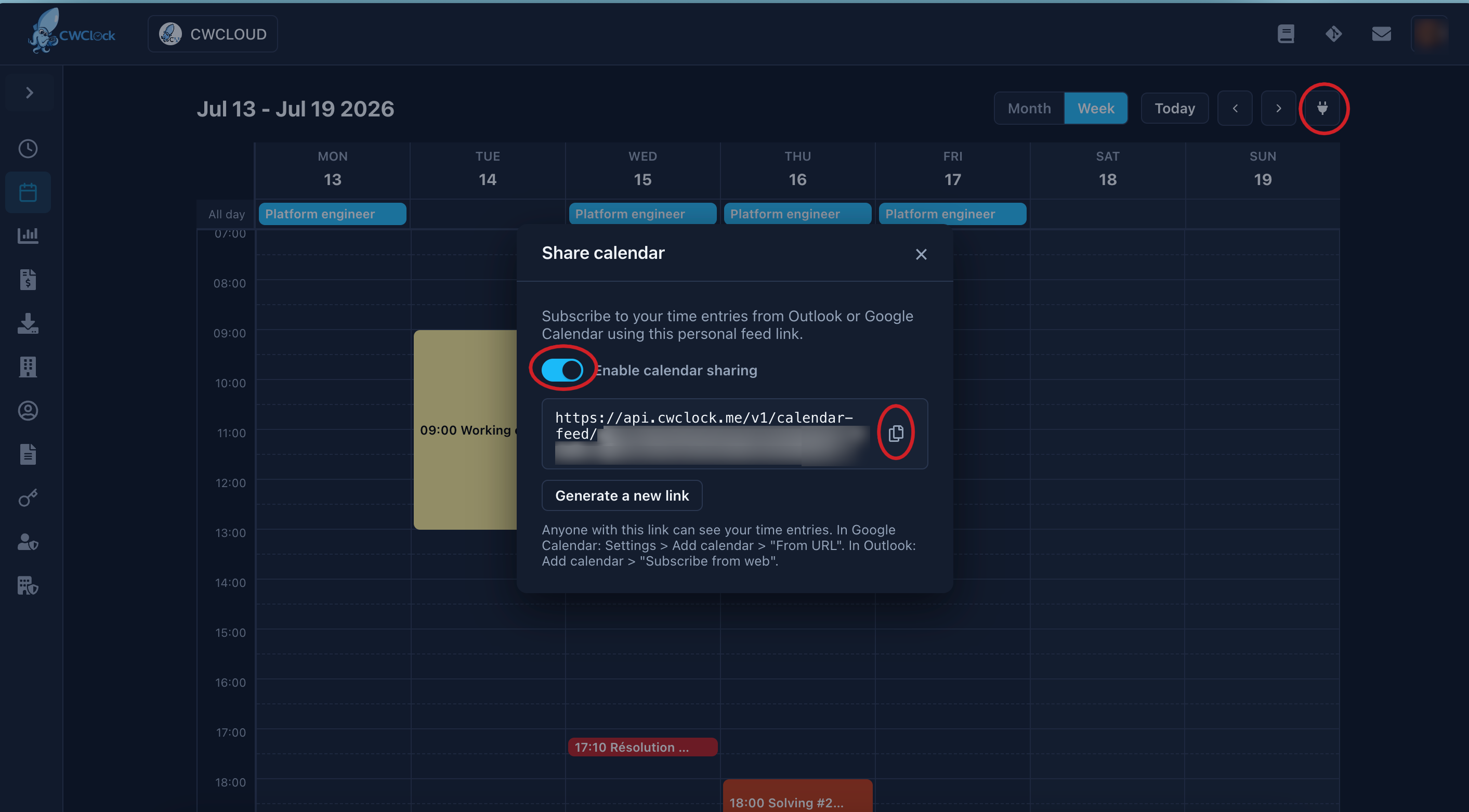
And synchronize this with Google Calendar or Outlook like this:
API
You can find openAPI documentation directly here: api.cwclock.me
API keys
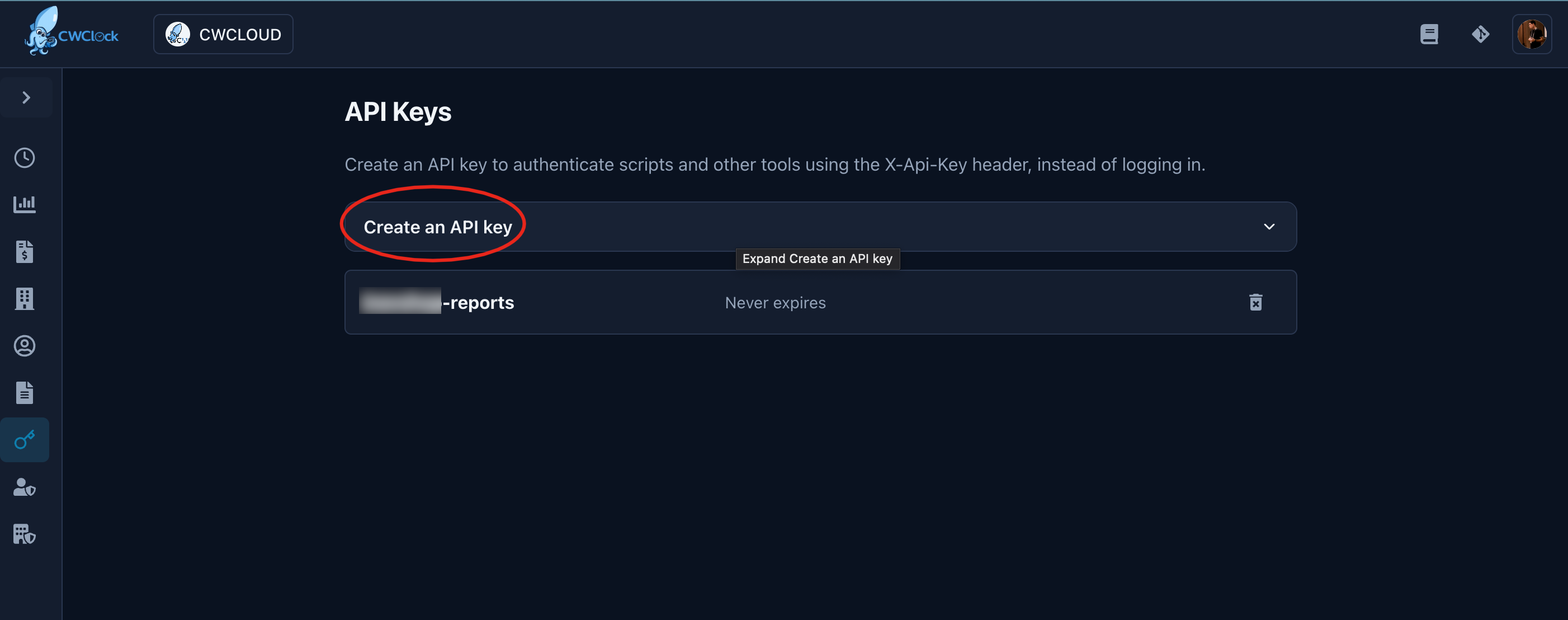
To manipulate the API in scripts or program, you'll need API keys.
Here's how to generate api keys:
Then copy and save the value somewhere safe:
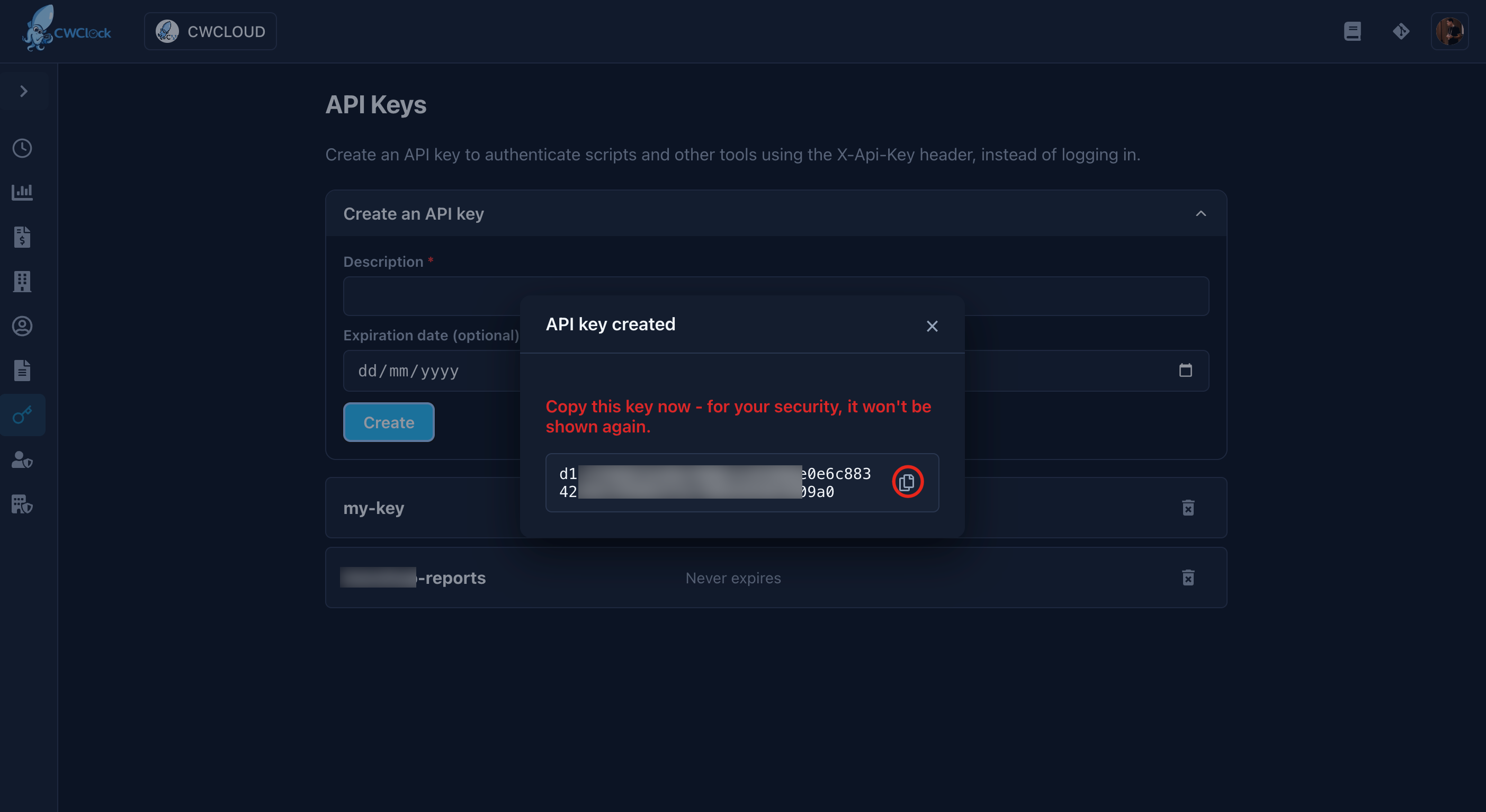
You'll be able to use it with the X-Api-Key header instead of the JWT with classic Authorization header in your scripts.
Export API
Here's an example with curl on how to generate the export between two dates
#!/usr/bin/env bash

start_date="2026-06-26"
end_date="2026-06-30"
export_type="summary"
export_format="PDF"

api_url="https://api.cwclock.me"
api_key="changeit"
org_id="changeit"
client_id="changeit"

file_report="report-${start_date}-${end_date}.pdf"

curl -H "content-type: application/json" \
-H "X-Api-Key: $api_key" \
-X POST -d '{"exportType":"'"${export_format}"'", "dateRangeStart":"'"${start_date}"'T00:00:00.000Z","dateRangeEnd":"'"${end_date}"'T23:59:59.000Z", "clients":{"ids": ["'"${client_id}"'"]}, "detailedFilter": {"page": 1,"pageSize": 100}}' "${api_url}/v1/organizations/${org_id}/reports/${export_type}" > "${file_report}"
Notes:
- This endpoint is compliant with clockify.me
- The allowed types of export are
summaryordetailed - The allowed format of exports are
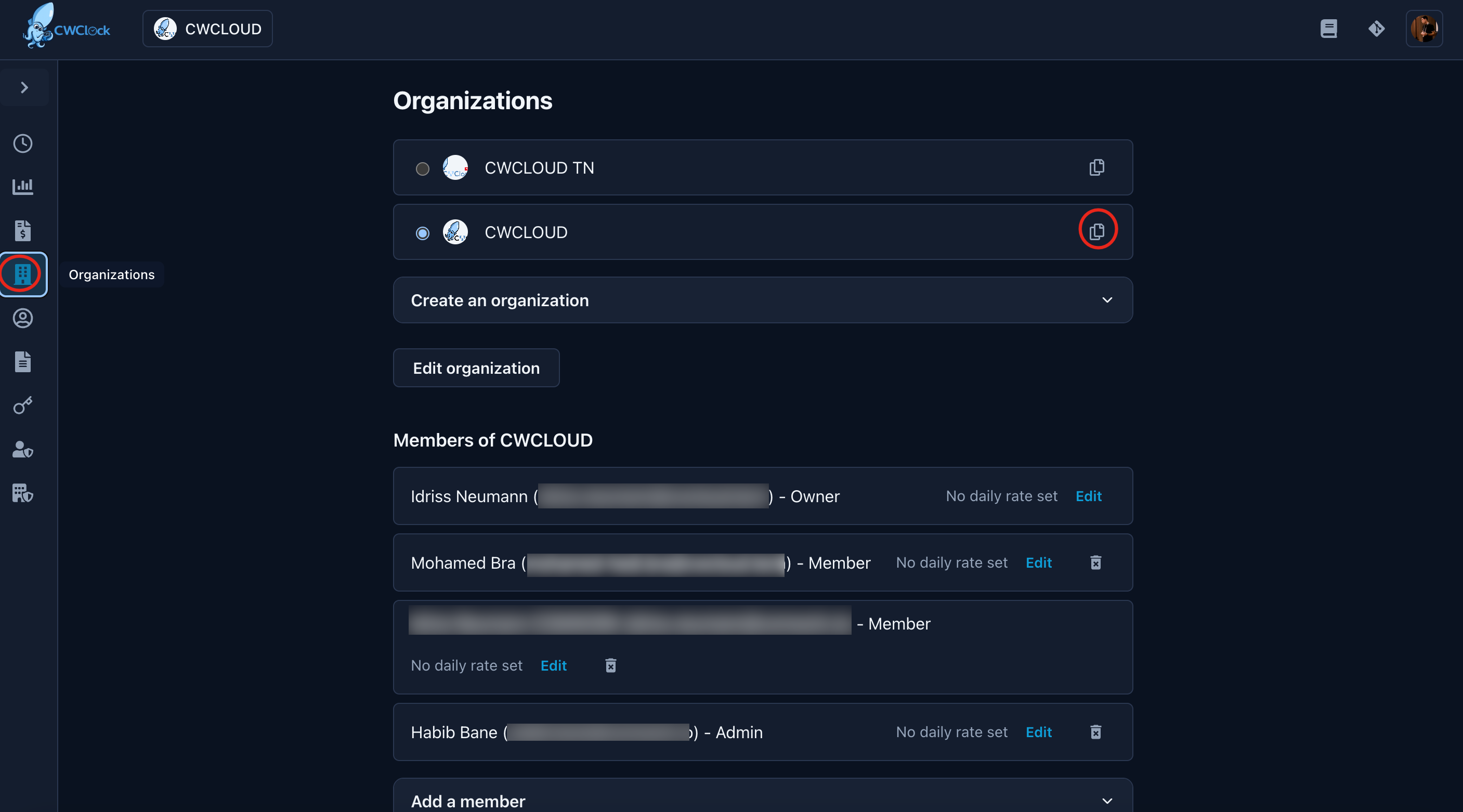
PDForCSV - You can find the
orga_idorclient_idusing the copy button here:
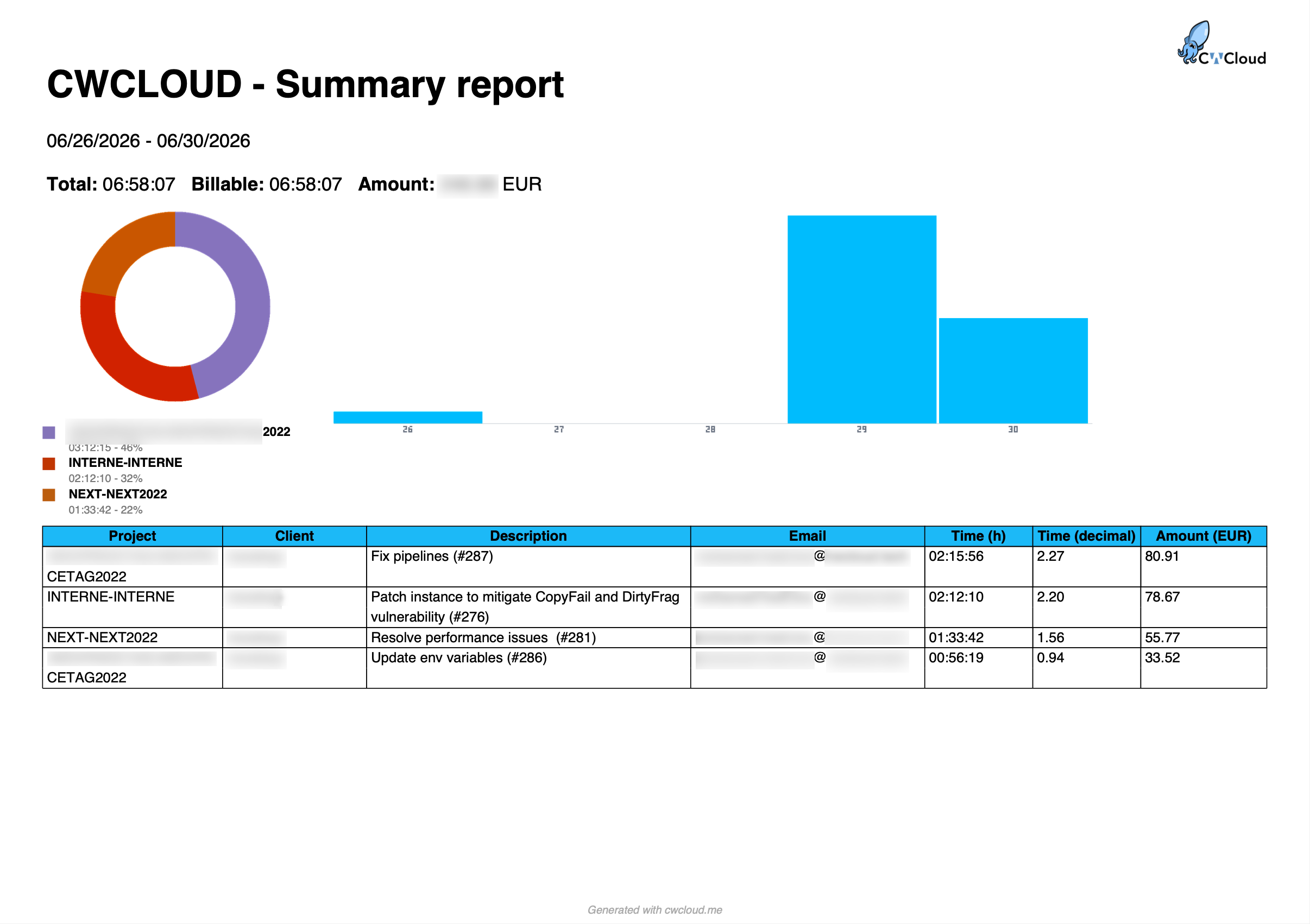
And finally, you'll get your report:
Export job
You can send automatically the reports or invoices to emails, git repository, google drive folder or S3/object storage buckets using the export job features:
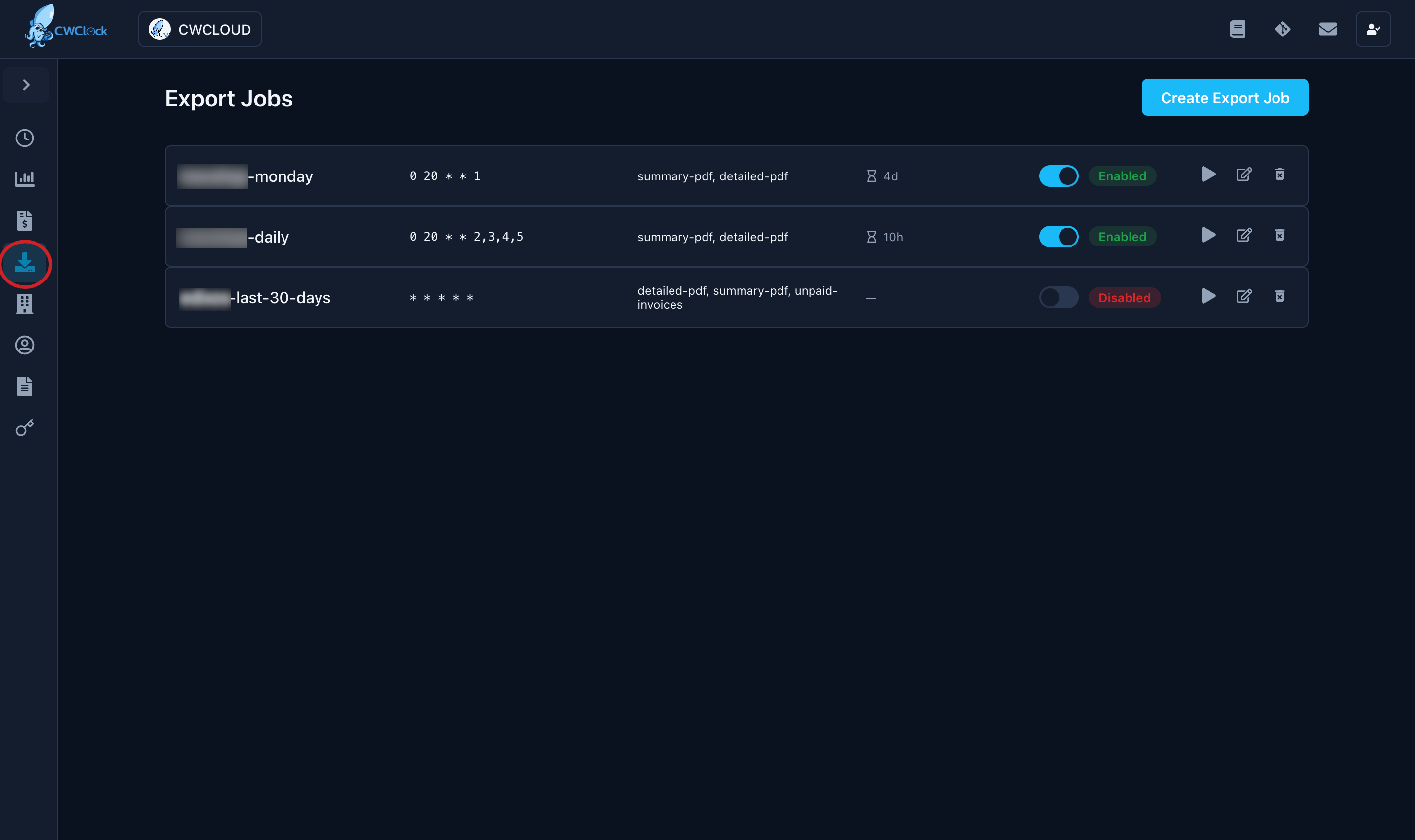
Notes:
- The scheduling is using [cron expressions] (there's helper with shortcuts)
- The period is using
now()-{number}{d|h|m}syntax (there's also a helper with shortcuts)